
If your business isn't showing on Google Maps, it's almost always one of a handful of causes: your profile isn't verified yet, it's been suspended, it's too new, a duplicate listing is competing with it, your category or address settings are wrong, or it's simply ranking too low to appear in the results a customer sees.
Is it your website that's missing rather than your map listing? That is a different problem with a different first step — see why your website isn't showing up on Google, which starts by working out whether Google has your site at all.
Haven't created the profile yet? Start with how to set up a Google Business Profile — including what to do if you have no address to show. Everything below assumes the profile already exists.
The fastest way to find out which: sign in to your Google Business Profile and search Google for your exact business name. If the profile shows for the exact name but not for what customers actually type ("florist near me", "aircon repair Subang"), you have a ranking problem, not a missing listing problem — and those are fixed very differently. This guide walks through every cause, how to tell which one is yours, and exactly what to do about it.
First, confirm whether you're missing or just ranking low
Before you fix anything, find out which problem you actually have — because the two look identical to a frustrated business owner but need opposite fixes.
Search Google (or Maps) for your exact business name plus your town. Then search for the service term a customer would use.
- Shows for the exact name, not the service term → your listing exists. This is a ranking problem. Skip to how Maps ranking works.
- Doesn't show even for the exact name → your listing is genuinely missing or hidden. Keep reading — one of the reasons below is yours.
One important catch: Google personalises Maps results by your location. Your business can be perfectly visible to customers nearby yet invisible to you because you're searching from across town, or from an office in another city. Never judge your visibility from your own screen alone.
Match what you're seeing to the cause
| What you're seeing | Most likely cause | How to confirm in a minute | Typical time to resolve |
|---|---|---|---|
| Nothing at all, even for your exact business name | Not verified, or suspended | Sign in and look for a "Verify now" prompt or a "Suspended" banner | Verification: up to 5 business days |
| "No results found" in Maps when you search your own name | Profile isn't verified, or was never created | Search the exact name + town in an incognito window | Same as above |
| Shows for your exact name, but not for "service + town" | A ranking problem, not a missing listing | Search both ways in incognito | Weeks — see the ranking factors below |
| It was showing, now it's gone | Suspension, or an edit put it back under review | Check the status banner in your dashboard | A few days if only under review |
| Two versions of your business on the map | A duplicate profile | Search your name and your address on Maps | After Google reviews your merge or removal request |
| You can't see it, but customers nearby can | Distance — you're judging from the wrong location | Check from a phone on mobile data a few streets away | Nothing to fix — see the ranking factors |
| You appear in Google Business Profile (formerly Google Places) but not on the map | Category or service-area settings, or ranking | Compare your primary category against what customers type | Same day for settings, weeks for ranking |
If your row says "ranking", nothing is broken. Skip the repair steps and go straight to how Maps ranking works — the fixes are completely different.
The reasons your business isn't showing on Google Maps
Here are the causes, roughly in the order worth checking. Most invisible profiles are explained by the first four.
1. Your profile isn't verified yet
An unverified profile doesn't appear on Maps. Verification is Google's proof that your business is real and that you control it, and until it's done, your listing stays hidden. Google's own verification page puts a number on the wait: "verification review can take up to 5 business days." Postcard verification can take longer still.
Fix: Sign in to your Google Business Profile. If you see a "Verify now" prompt, complete it (by video, phone, email, or postcard, depending on what Google offers you). Don't create a second profile while you wait — that causes duplicates later. Google's steps: Verify your business on Google.
2. Your profile is suspended
A suspended profile vanishes from Maps entirely, usually with little warning. Google suspends listings that appear to break its guidelines — common triggers are a keyword-stuffed business name, a virtual office or fake address, sudden edits to critical fields, or a business type Google doesn't allow.
Fix: Check your dashboard for a "Suspended" status. If it's there, correct whatever broke the guideline first, then submit a reinstatement request through Google. Don't spam new profiles — that makes reinstatement harder. Google's process: Fix suspended or disabled profiles.
Suspensions are the one cause on this list with a process of their own, and the order matters more than the paperwork — see what to do when your Google Business Profile is suspended for how to find the trigger, what evidence Google actually wants, and how to tell a real reinstatement specialist from someone selling you a second suspension.
3. Your business is brand new
A new profile takes a little time to surface, and even longer to rank. Google needs to build a baseline of trust before it shows a fresh business broadly. You'll typically appear for your exact name first, then for wider searches as the profile matures.
Fix: Complete every field, add photos, and start collecting reviews. Completeness and activity are how you shorten this waiting period.
4. A duplicate listing is splitting your presence
Two profiles for the same business confuse Google, and it may hide one of them. You don't have to take our word for what happens — Google states it plainly: "If a profile is considered a duplicate, it won't show on Google Search or Maps." Duplicates happen when someone creates a new profile instead of claiming the existing one, or after a move or rename.
Fix: Search Maps for your name and address. If you find duplicates, report them for removal or merge them so all your reviews and history consolidate onto one listing. Google's guidance, including how to appeal a wrongly-applied duplicate status: Resolve duplicate profiles & ownership issues.
5. Your address or service-area settings are wrong
Wrong location settings put you on the wrong part of the map — or nowhere useful. A storefront with no address set, or a service business with too narrow a service area, will miss the searches it should win.
Fix: If customers come to you, set an accurate, staffed street address. If you go to customers (a service-area business), hide the address and list the towns or regions you serve. Don't do both loosely. Google's rules for this: Manage your service areas.
6. Your name, address, and phone don't match across the web
Inconsistent business details erode Google's confidence and quietly push you down. If your name, address, and phone (NAP) differ between your website, your profile, Facebook, and local directories, Google isn't sure which is correct — so it trusts you less.
Fix: Pick one exact format and make it identical everywhere online. This is unglamorous and one of the highest-leverage things you can do — the same discipline that decides many local SEO outcomes. Worth reading once to see why it matters: Google's own explanation of where it sources business information — it pulls from third-party sources too, not just your profile.
7. You broke a Google guideline without realising it
Small guideline violations can hide a listing even when the business is completely legitimate. The usual culprits: adding keywords or a location to your business name ("Ali Plumbing — Cheap Plumber KL"), using a PO box or coworking address, or listing a business that isn't eligible.
Fix: Use your real, registered business name only — nothing extra. Use a real address you actually staff. Bring the profile back within guidelines, and if it was suspended, request reinstatement. The rules themselves: Guidelines for representing your business on Google.
8. You're showing — just not high enough to see
Sometimes nothing is broken; you're simply below the fold. Google shows only three businesses in the map pack for most searches, and everyone else sits behind a "More places" tap that few customers ever make. If you're ranked 8th, you'll feel invisible even though you're technically listed.
Fix: This is a ranking problem, covered next.
How Google decides who ranks on Maps
Google publishes this, and it's worth reading in the original: Tips to improve your local ranking on Google. Its summary line is one sentence — "Local results are mainly based on relevance, distance, and popularity" — and it then breaks the three down under the headings Relevance, Distance, and Prominence:
- Relevance — how well your profile matches what someone searched. A complete profile with the right primary category and full details is far more relevant than a bare one.
- Distance — how far you are from the searcher (or the area they searched). You can't change your location, but accurate address and service-area settings make sure Google measures it correctly.
- Prominence — how well-known and trusted your business is. Reviews, an active profile, consistent information across the web, and links all feed prominence.
The most useful sentence on that page is the one nobody quotes: "There's no way to request or pay for a better local ranking on Google."
Keep it in mind next time someone offers to guarantee you a spot in the map pack. There is no paid lane, no priority queue, and no relationship with Google that buys one. Anyone promising a guaranteed position is either selling you the ordinary work above under a bolder label, or hoping you'll rank anyway and take the credit. Ask them which of the three factors each line on their invoice is meant to move — and what happens to your money if the answer is "distance".
Only three businesses appear in the map pack for most searches, with everyone else behind a "More places" tap. Count them yourself on any search — that's the whole competition, and the levers above are the only way into it. If you want the profile-level detail, we cover it in the Google Business Profile mistakes quietly costing you customers. For the full, step-by-step version of what to actually do about each of the three factors, see how to rank higher on Google Maps.
"It showed up before and now it's gone"
A business that disappears after previously showing has almost always been suspended, put back under review, or affected by a duplicate — not deleted. Sudden disappearances feel alarming, but they're usually reversible.
Check, in this order:
- Suspension. Look for a "Suspended" banner in your dashboard. If present, fix the cause and request reinstatement.
- Under review. Recent edits to your name, address, or category can put the listing back into review for a few days, during which it may not show.
- A merge or duplicate. A new or merged listing can override the one customers knew.
- A guideline change. An edit that added keywords to your name or changed your address can trip a violation.
If it was suspended: what Google's own page tells you to do
Everything above is what we see happen. This part is Google's own instruction, from Fix suspended or disabled profiles — worth reading in full, because three of these details catch people out:
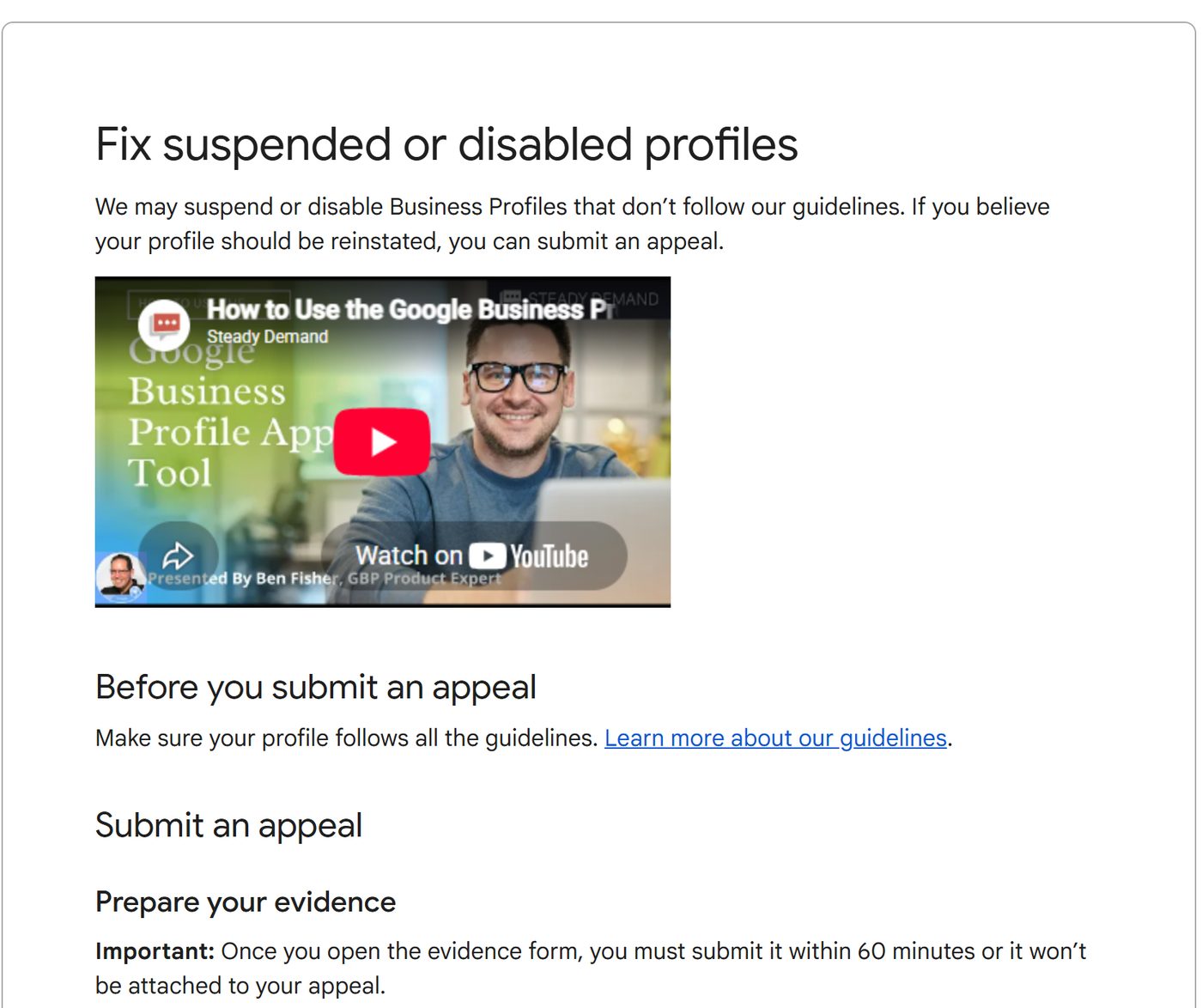
🔴 Do not create a new profile while your appeal is under review. Google states this directly. It is the most common instinct — the listing is gone, so you rebuild it — and it is the one action that makes the situation worse.
Prepare the evidence before you open the form. Google's page says that once you open the evidence form, you have 60 minutes to submit it or it will not be attached to your appeal. Have the documents ready first.
What counts as evidence, in Google's words:
- Official business registration
- A business license
- Tax certificates
- Utility bills for the business — electricity, phone, water, internet
And the detail that decides most appeals: Google says to check that the business name and address on those documents match the profile you are appealing for. A utility bill in the owner's personal name, or an address written differently from the listing, is the usual reason an appeal comes back rejected.
⚠️ If your profile is not suspended — no banner in the dashboard — then this whole section does not apply to you, and the appeal form is not the right door. Go back to the checks above.
How to test your visibility the right way
The correct way to check if you're on Google Maps is to search the way a customer would, from where a customer would — not from your own logged-in screen at your desk.
- Search your service + town ("dentist Petaling Jaya"), not just your business name.
- Use an incognito window and, if you can, a device that isn't signed into your business account.
- Remember Google tailors results to the searcher's location. Tools exist to check rankings from a specific point on the map, but even a phone on mobile data a few streets away gives you a more honest read than your office desktop.
Your get-back-on-the-map checklist
If you do nothing else, work down this list — it resolves the large majority of "not showing" cases:
- Verify the profile (or finish a stalled verification).
- Check for and clear any suspension, then request reinstatement.
- Find and remove duplicate listings.
- Set the most specific primary category and a correct address or service area.
- Use your real business name only — no keywords, no location tacked on.
- Make your name, address, and phone identical everywhere online.
- Add photos and start collecting reviews to build prominence.
Most of these are free and within your control. The reason they work is the same reason so many businesses stay invisible: almost nobody bothers to get all seven right.
Frequently asked questions
Why is my business not showing on Google Maps even though it's verified?
A verified profile can still be hidden if it was suspended, if edits are under review, if a duplicate listing is competing with it, or if your category and address settings don't match how people search. It can also simply be ranking too low to appear in the top results — verification gets you listed, not ranked. Search your exact business name to confirm it exists, then work through categories, duplicates, and NAP consistency.
Why did my business disappear from Google Maps after it was showing before?
The most common causes of a sudden disappearance are a profile suspension, an edit that put the listing back under review, a merged or duplicate listing, or a guideline violation such as a keyword-stuffed business name. Sign in to your Google Business Profile and look for a "Suspended" or "Under review" status. If it's suspended, use Google's reinstatement request; if it's under review, changes can take a few days to reappear.
How long does it take for a new business to show up on Google Maps?
After you verify, a new Google Business Profile usually appears within a few days, but it can take longer to rank well while Google builds confidence in your business. Google says verification itself can take up to five business days. New listings often show for your exact business name first, then gradually appear for broader searches as you add reviews, photos, and complete information.
Why does my business show on Google Search but not on Google Maps?
This usually means your listing exists but isn't ranking for the map results, or your address or service-area settings are limiting where you appear. Google ranks Maps results on relevance, distance, and prominence, so a distant searcher or a vague category can keep you out of the map pack even when your profile shows for a direct name search.
Can my business appear on Google Maps without a physical address?
Yes. Service-area businesses — plumbers, cleaners, mobile services — can appear on Google Maps without showing a street address by setting service areas instead. You still verify the business, but you hide the address and list the towns or regions you serve. Businesses that serve customers only at their location must show a real, staffed address.
Why is my business not visible to customers even though I can see it?
Because Google personalises Maps results by the searcher's location, and you are almost never standing where your customers are standing. Your own screen is the least reliable place to judge visibility from — it's signed in, it knows your business, and it's sitting at your address. Check from a phone on mobile data a few streets away, in an incognito window, searching the service term rather than your business name. If it appears for you but not for them, distance is the factor at work — and that's a ranking problem, not a missing listing.
My business is on Google Maps but not ranking — is that the same problem?
No, and the fixes are opposite. A missing listing is a repair job: verify it, clear a suspension, remove a duplicate, correct the address. A listing that exists but doesn't rank is a competition problem — you're behind other businesses on relevance, distance, and prominence. Verification gets you listed, not ranked. Test which one you have by searching your exact business name: if it appears there but not for "service + town", nothing is broken and the repair steps won't help you.
How do I make my business more visible on Google Maps?
Work the two factors you can influence. For relevance, set the most specific primary category and complete every field so Google can tell what you actually do. For prominence, collect reviews steadily and answer them, keep your name, address and phone identical everywhere online, and stay active on the profile. Distance is the third factor and you can't buy or change it. Google states directly that there's no way to request or pay for a better local ranking — so treat any guaranteed-placement offer as a warning sign.
The takeaway
Your business not showing on Google Maps is a solvable problem, and usually a quick one. It's rarely bad luck — it's verification, a suspension, a duplicate, a settings slip, or a ranking gap, and each has a clear fix. Work through the causes above in order, test your visibility the right way, and you'll turn "why can't anyone find us?" into a steady stream of customers who found you exactly when they were ready to buy.
Not sure which of these is holding you back? Get a free visibility check — we'll look at your Google Business Profile, your Maps ranking, and even how AI search sees you, then show you exactly what to fix first.